Everything a telecom field crew needs, in one app
From finding the job to getting paid for it — with safety checkpoints built into the flow, not added on top.
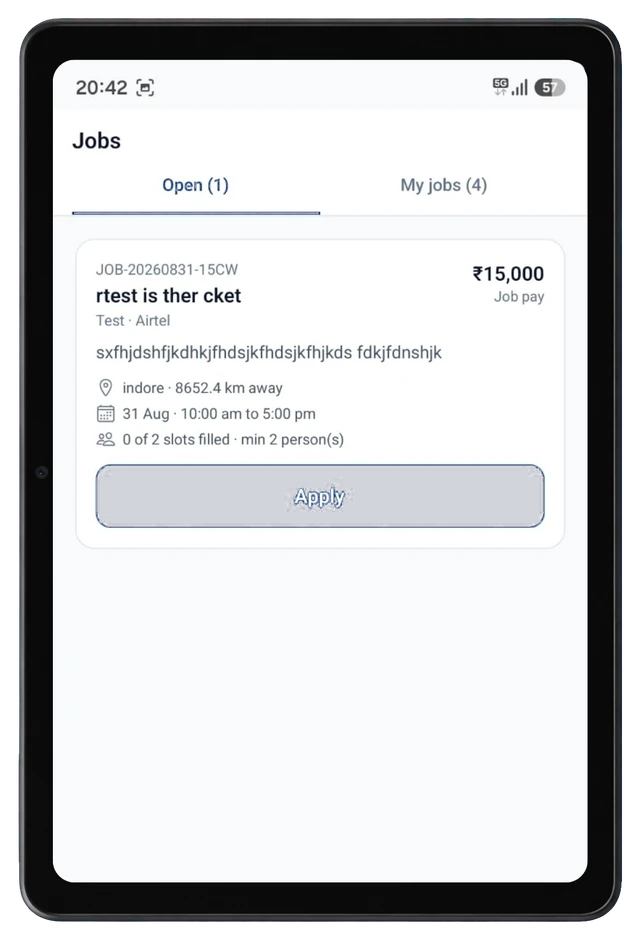
Verified job marketplace
Browse open telecom field jobs by location, pay and crew size, apply in one tap, and track every application from Accepted through Completed in My Jobs.
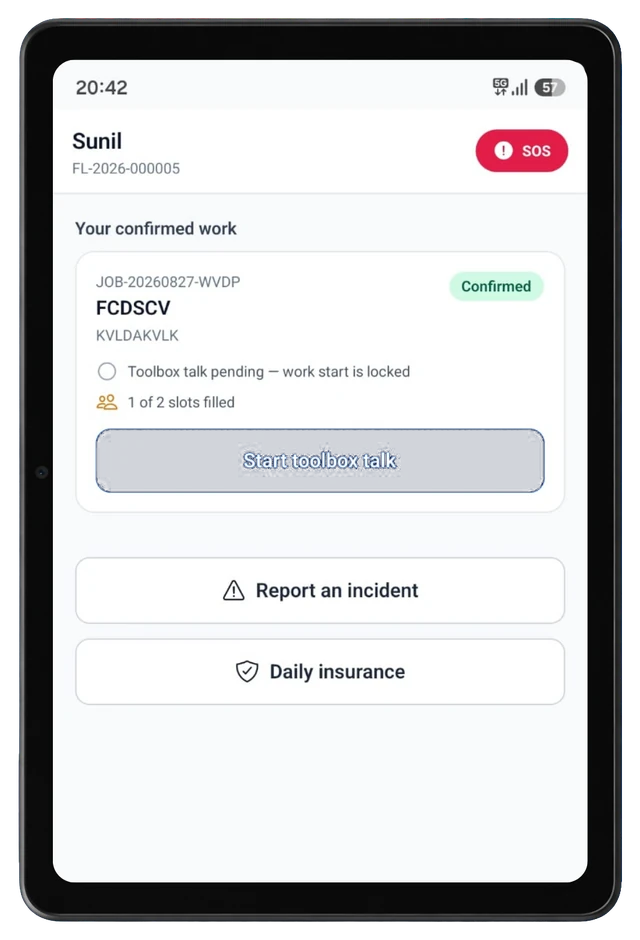
Toolbox talk safety gate
Work can't start until the crew completes a toolbox talk on site. It's a simple, built-in checkpoint that keeps every job compliant before boots hit the ground.
One-tap SOS
A dedicated emergency SOS button sits on every technician's Today screen, putting help one tap away on remote sites and tower climbs.
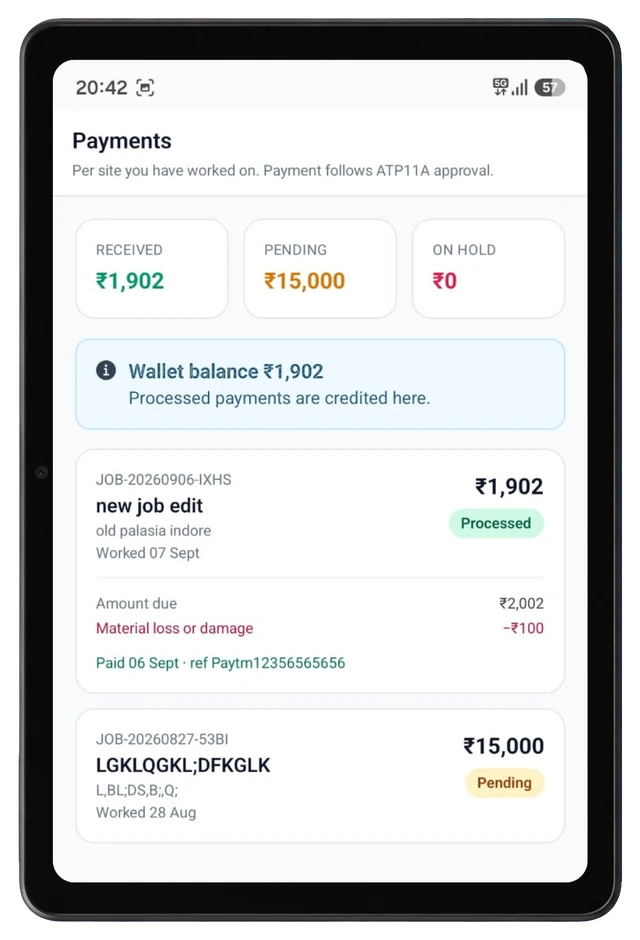
Transparent payments
See received, pending and on-hold amounts at a glance. Every site shows its payout breakdown, deductions and payment reference, right down to the rupee.
One thread per site
Message the admin and site coordinator directly from the job, with photo sharing for proof-of-work, material issues and toolbox sign-off.
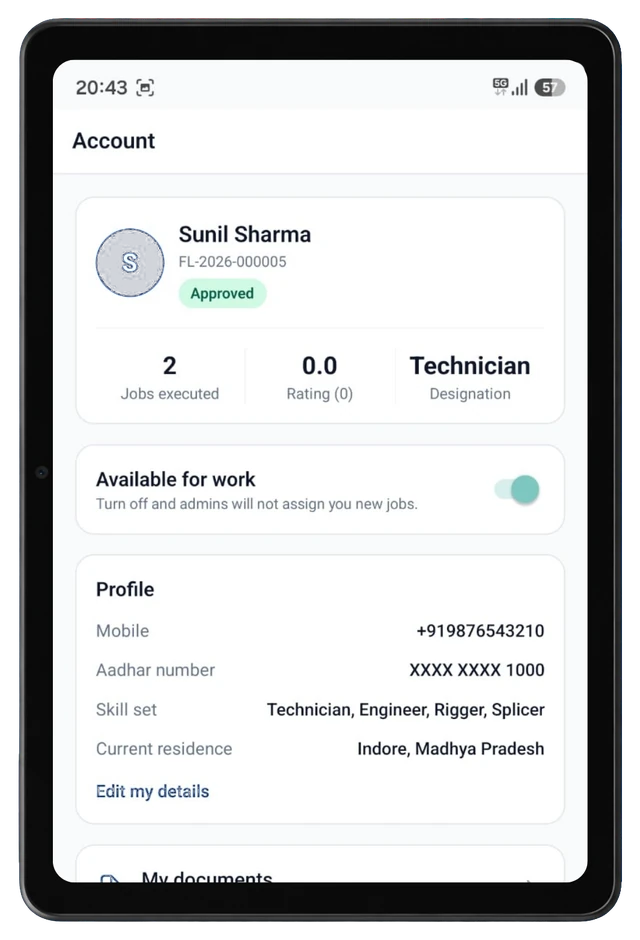
Verified technician profiles
Approved IDs, skill sets, Aadhar and Work at Height verification, and police clearance live in one profile admins can trust before dispatch.
Training & skill modules
Safety refreshers and skill-building modules keep riggers, splicers, engineers and technicians current and job-ready year-round.
Available-for-work toggle
Technicians switch availability on or off in a tap, so admins only assign new jobs to crews who are actually ready to take them.
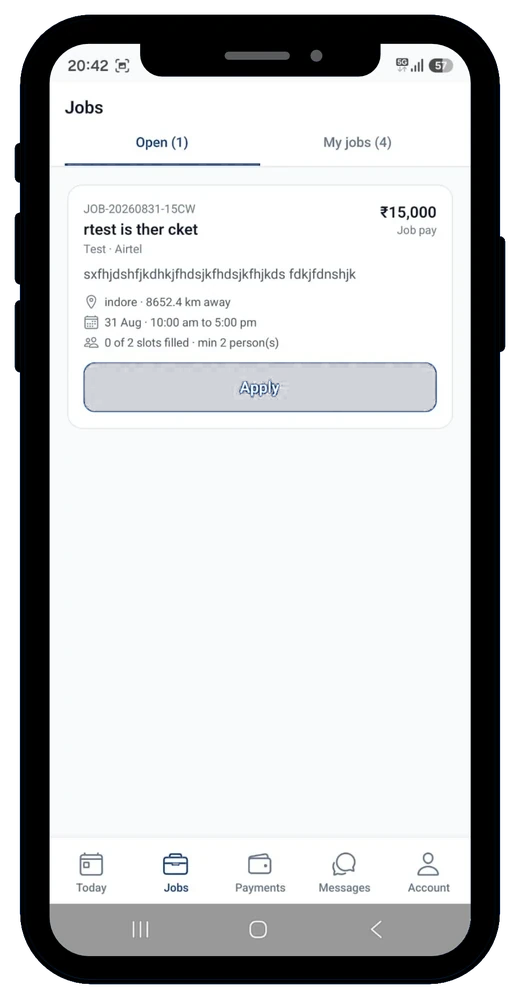
Apply to real site work in one tap
The Open tab lists jobs with the job code, pay, description, exact location and distance from you, the date and shift window, and how many crew slots are already filled against the minimum required. My Jobs tracks every application's status — Accepted, Declined or Completed — plus payout and site details once you're locked in.
- Job pay and distance shown before you apply
- Minimum crew size and live slots-filled count
- Status tracking from application to completion
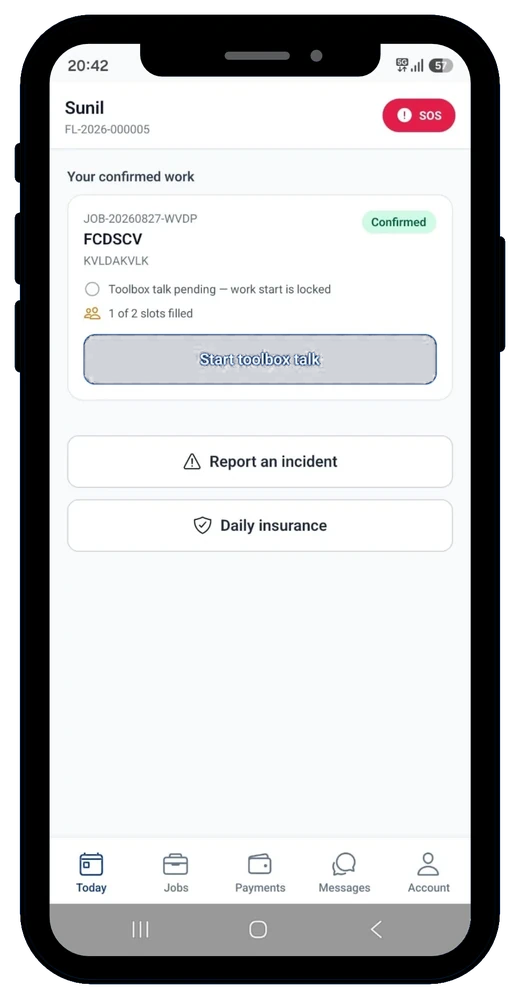
A locked gate between arriving on site and starting work
Confirmed jobs land on the Today screen with a clear checklist: complete the on-site toolbox talk before work start unlocks. SOS sits at the top of the screen for emergencies, and Report an incident and Daily insurance are one tap away for the whole shift.
- Toolbox talk required before work-start unlocks
- One-tap SOS for every confirmed job
- Daily insurance active on every confirmed work day
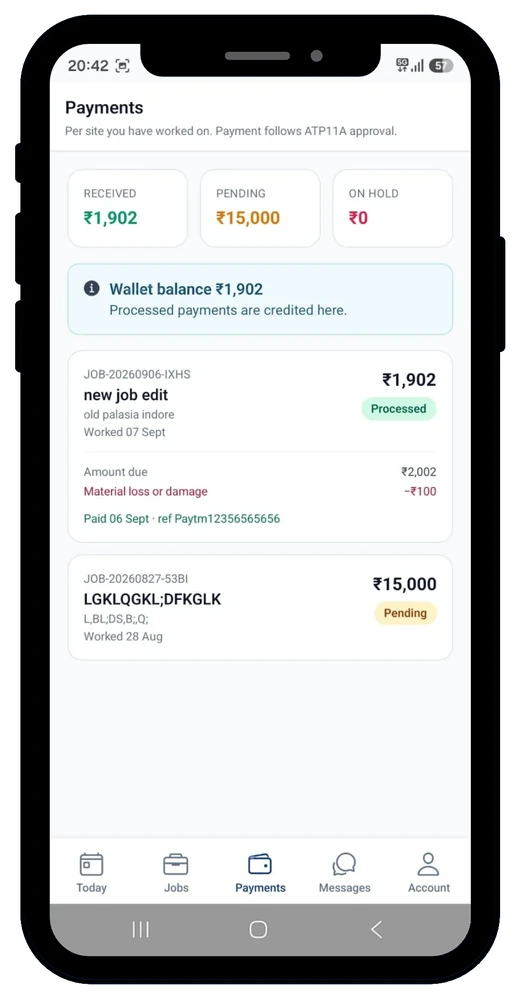
Know exactly what you're owed, and why
Payments break down by site: amount due, any deductions like material loss, and a status of Pending, Processed or On Hold. Processed payments land in your in-app wallet with a payment reference you can point to.
- Received, Pending and On Hold totals up front
- Per-site deductions shown line by line
- Wallet balance with payment references
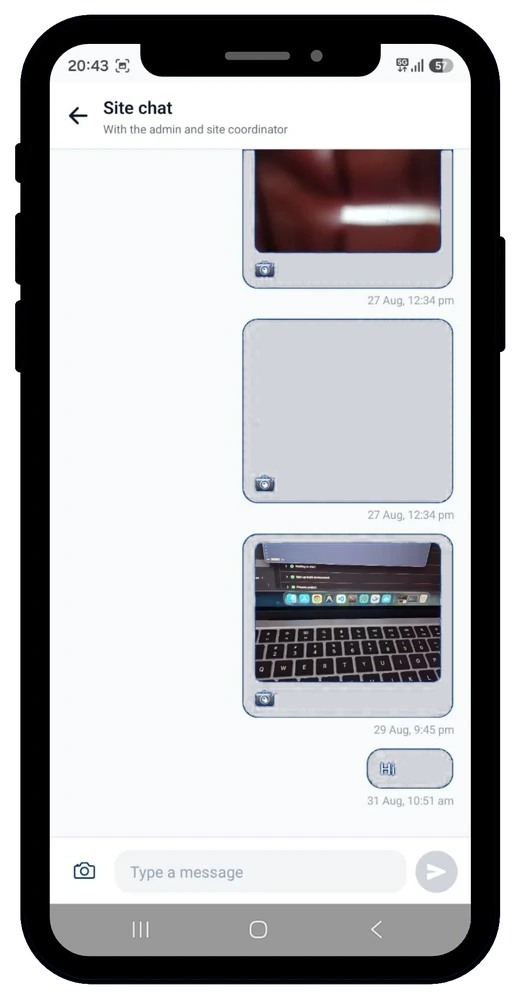
One thread per site, admin included
Every job gets a single chat thread with the admin and site coordinator — no hunting across apps. Share photos straight from the job for proof-of-work, material issues, or toolbox sign-off.
- One thread per job site, not per person
- Photo sharing built into the chat
- Coordinator and admin in the same thread
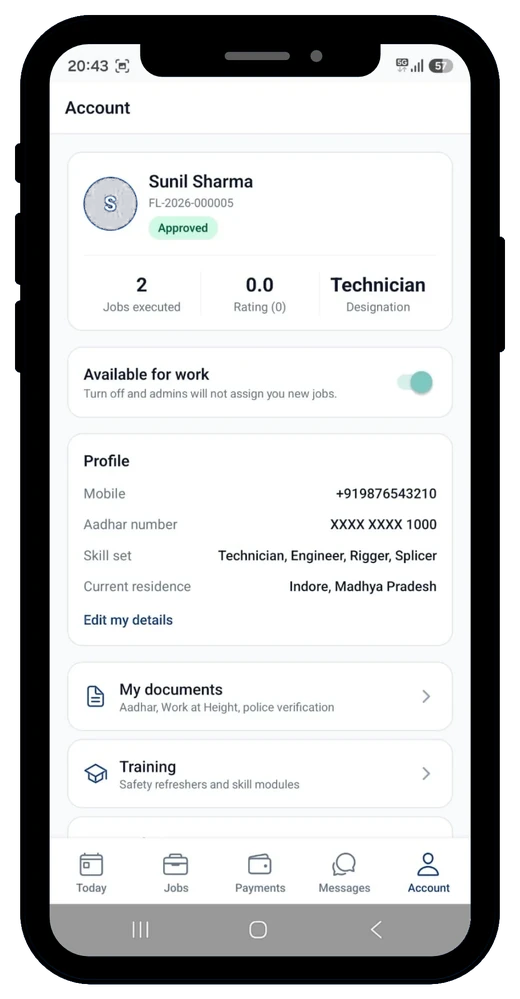
A profile admins can trust before dispatch
Your technician ID, Approved status, jobs executed, rating and designation sit at the top of your profile. Below it: mobile, Aadhar, skill set and residence, plus documents (Aadhar, Work at Height, police verification) and training modules.
- Technician ID and Approved status at a glance
- Documents: Aadhar, Work at Height, police verification
- Training: safety refreshers and skill modules
Also in the app
Two more screens rounding out the day-to-day: your open threads, and every job you've ever taken.
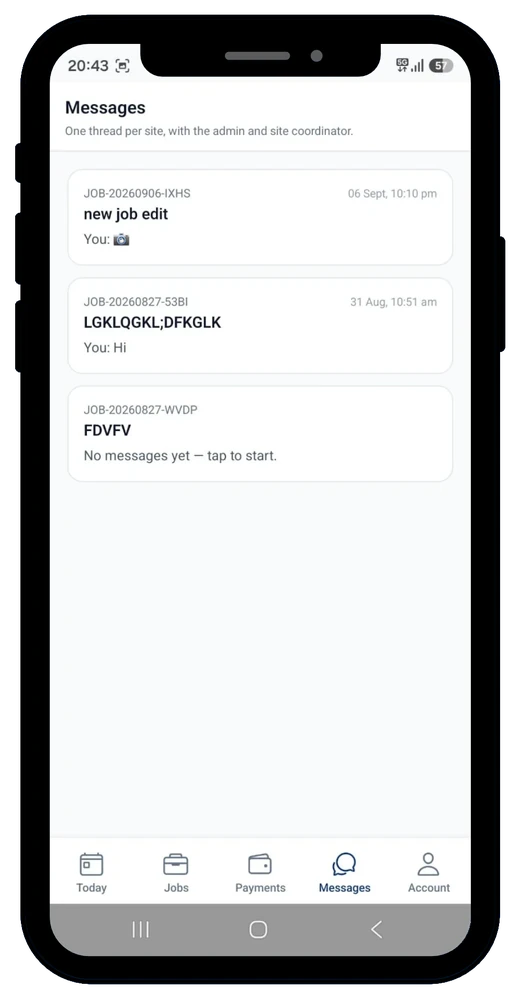
Messages
One chat thread per job site, with the admin and coordinator.
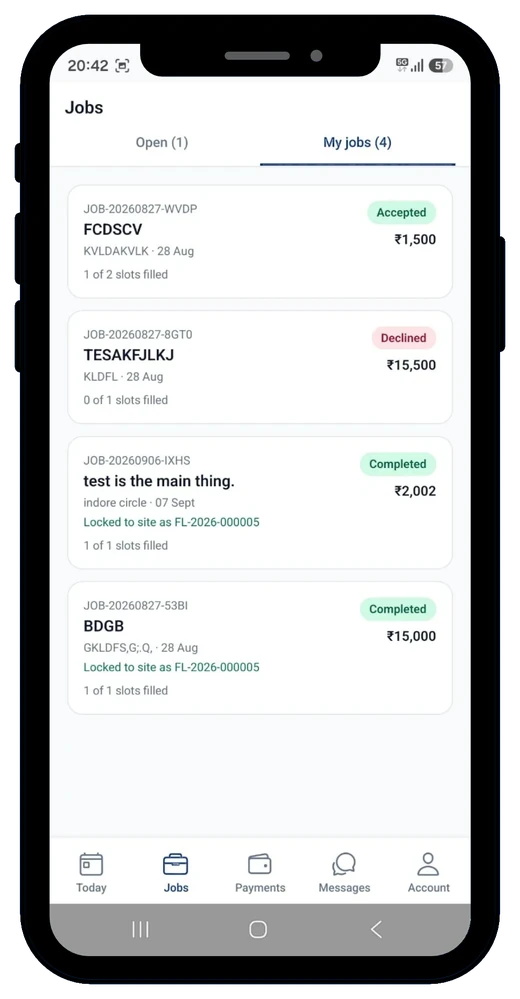
Jobs — My Jobs
Every application tracked: Accepted, Declined or Completed.
Works the same way on a bigger screen
The full technician experience — Today, Jobs, Payments, Messages and Account — carries over to tablet.